> ## Documentation Index
> Fetch the complete documentation index at: https://docs.myresearchlab.app/llms.txt
> Use this file to discover all available pages before exploring further.
# Playground
> A shared workspace to collect inspiration—links, notes, images, papers, and ideas—before you build a study.
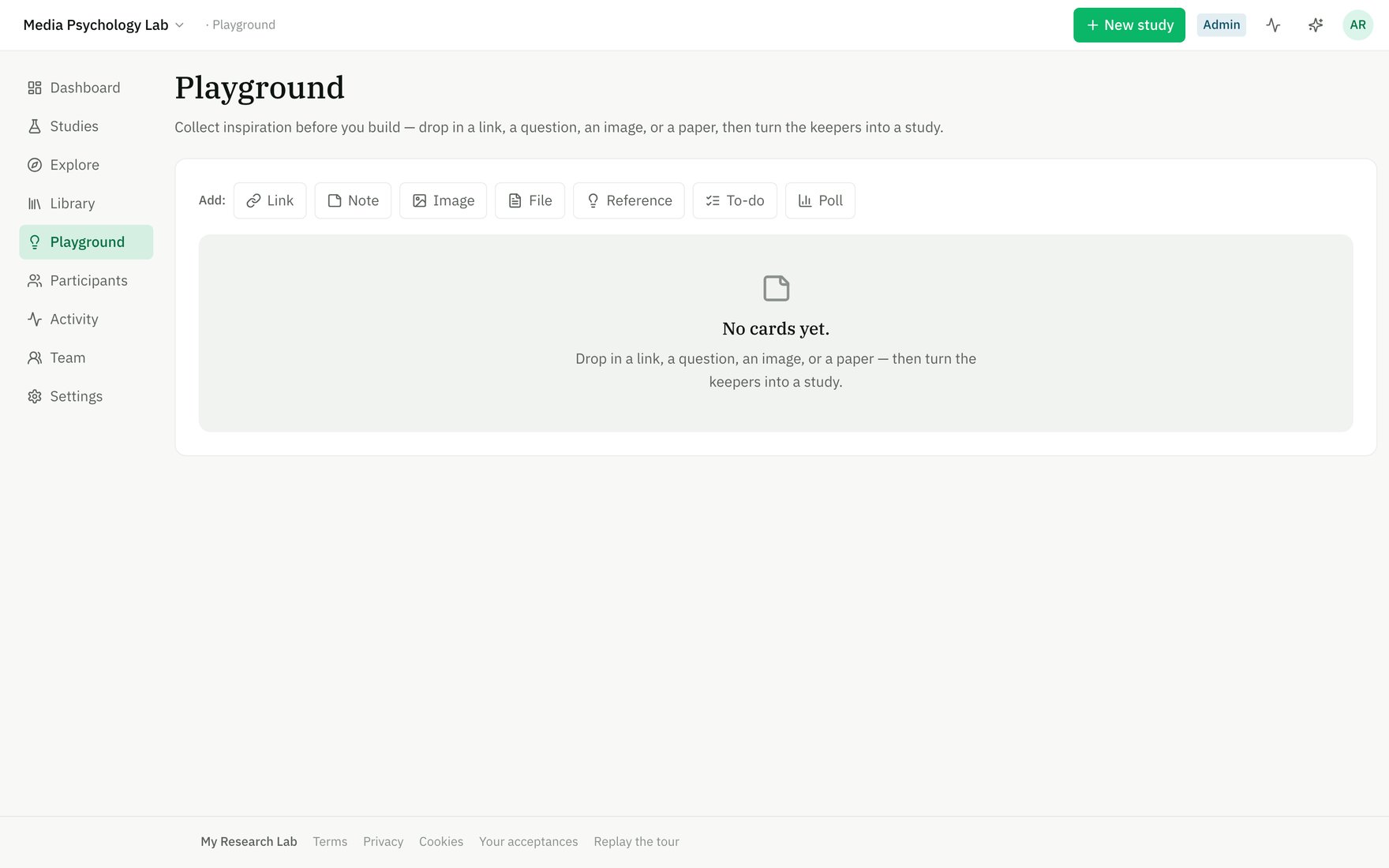
The **Playground** is a sandbox for your workspace: a shared board to drop in links, questions, images, papers, and todo items before you're ready to build. Nothing here becomes part of a study until you convert a card into one—the board is pure exploration.
 ## What goes on the Playground
Each card holds one piece of inspiration:
* **Link** — a URL you want to revisit; the domain is shown as a preview.
* **Note** — a thought, question, or stimulus idea in freeform text.
* **Image** — an uploaded image (screenshot, mockup, reference photo).
* **File** — a PDF, document, or spreadsheet you want to keep nearby.
* **Reference** — a paper by its DOI; the system resolves the citation details from Crossref.
* **To-do** — a task with an optional checklist; assign items to team members to coordinate prep work.
* **Poll** — a quick decision: ask a question and tally team votes to align on direction.
## Adding and organizing cards
Click **Add:** and choose a card type. Fill in the essentials (title, URL, DOI, etc.), then it lands on the board. You can:
* **Edit** a card anytime — click the pencil icon to change the title, body, or URL.
* **Reorder** with keyboard buttons (⬆️ ⬇️) or drag cards into a new position.
* **Comment** on any card — click the message icon to open a comment thread and discuss with your team.
* **Archive** a card when you no longer need it (soft-deleted, with comments preserved).
## Converting a card into a study
When a card (or group of related cards) crystallizes into a study idea, click **Start a study** on that card. The app creates a new Draft study in your workspace, pre-seeded with the card's title and any notes or body text as the overview abstract. You land in the [Builder](/builder/blocks) ready to add blocks, conditions, and logic.
The original card stays on the Playground and is linked to the new study (marked "Started ✓"). The card is never consumed or deleted—the board persists as your team's lab notebook.
## Playground vs. Builder
| | **Playground** | **Builder** |
| ------------------ | ------------------------------------------------ | ---------------------------------------- |
| **Purpose** | Collect inspiration, brainstorm, coordinate prep | Design and configure a study protocol |
| **What you build** | Cards (loose notes, links, todos) | A study (blocks, conditions, branching) |
| **Output** | Ideas, decided team direction | Runnable study (draft or published) |
| **Collaboration** | Comments on cards, team todos, polls | Study protocol comments, version history |
| **Scope** | Workspace-wide, shared with all members | One study at a time |
The Playground is where research starts. Once you move to the Builder, you're committing to a protocol you can preregister, run, and publish.
## What goes on the Playground
Each card holds one piece of inspiration:
* **Link** — a URL you want to revisit; the domain is shown as a preview.
* **Note** — a thought, question, or stimulus idea in freeform text.
* **Image** — an uploaded image (screenshot, mockup, reference photo).
* **File** — a PDF, document, or spreadsheet you want to keep nearby.
* **Reference** — a paper by its DOI; the system resolves the citation details from Crossref.
* **To-do** — a task with an optional checklist; assign items to team members to coordinate prep work.
* **Poll** — a quick decision: ask a question and tally team votes to align on direction.
## Adding and organizing cards
Click **Add:** and choose a card type. Fill in the essentials (title, URL, DOI, etc.), then it lands on the board. You can:
* **Edit** a card anytime — click the pencil icon to change the title, body, or URL.
* **Reorder** with keyboard buttons (⬆️ ⬇️) or drag cards into a new position.
* **Comment** on any card — click the message icon to open a comment thread and discuss with your team.
* **Archive** a card when you no longer need it (soft-deleted, with comments preserved).
## Converting a card into a study
When a card (or group of related cards) crystallizes into a study idea, click **Start a study** on that card. The app creates a new Draft study in your workspace, pre-seeded with the card's title and any notes or body text as the overview abstract. You land in the [Builder](/builder/blocks) ready to add blocks, conditions, and logic.
The original card stays on the Playground and is linked to the new study (marked "Started ✓"). The card is never consumed or deleted—the board persists as your team's lab notebook.
## Playground vs. Builder
| | **Playground** | **Builder** |
| ------------------ | ------------------------------------------------ | ---------------------------------------- |
| **Purpose** | Collect inspiration, brainstorm, coordinate prep | Design and configure a study protocol |
| **What you build** | Cards (loose notes, links, todos) | A study (blocks, conditions, branching) |
| **Output** | Ideas, decided team direction | Runnable study (draft or published) |
| **Collaboration** | Comments on cards, team todos, polls | Study protocol comments, version history |
| **Scope** | Workspace-wide, shared with all members | One study at a time |
The Playground is where research starts. Once you move to the Builder, you're committing to a protocol you can preregister, run, and publish.