How the starter is built
The pilot starter is a short, single-arm study (no random-assignment conditions — everyone takes the same thing):- A brief introduction screen.
- A “Draft scale” screen group with four 7-point Likert items and one continuous-scale (VAS) item, all on one screen, with placeholder wording you replace with your own statements.
- An open-text feedback question — “What, if anything, was confusing about these questions? How would you reword them?” — which is the real point of a pilot.
- A thank-you screen.
The pilot starter has no conditions — it runs as a single arm. You’re testing the instrument itself, not comparing groups. (If you do want to compare two versions of a measure, that’s an A/B test.)
The pilot loop
1
Draft your items
Replace the placeholder Likert and VAS items with your own statements. Keep it short — a pilot is about catching problems, not collecting findings.
2
Publish a runnable version
Publish freezes a runnable version without an OSF push — exactly right for an exploratory pilot. (Save preregistration for the real study.)
3
Share the link with a few people
Open recruitment on the Run stage to activate the participant link, then send it to a handful of colleagues or friends. No Prolific or recruitment service needed for a pilot of this size.
4
Watch responses land
Responses appear on the study Dashboard as people finish. Read the open-text feedback closely — it tells you which items were ambiguous.
5
Tighten and re-run
Edit the Draft to fix the wording, publish a new version, and share again. Iterate until the measure reads cleanly.
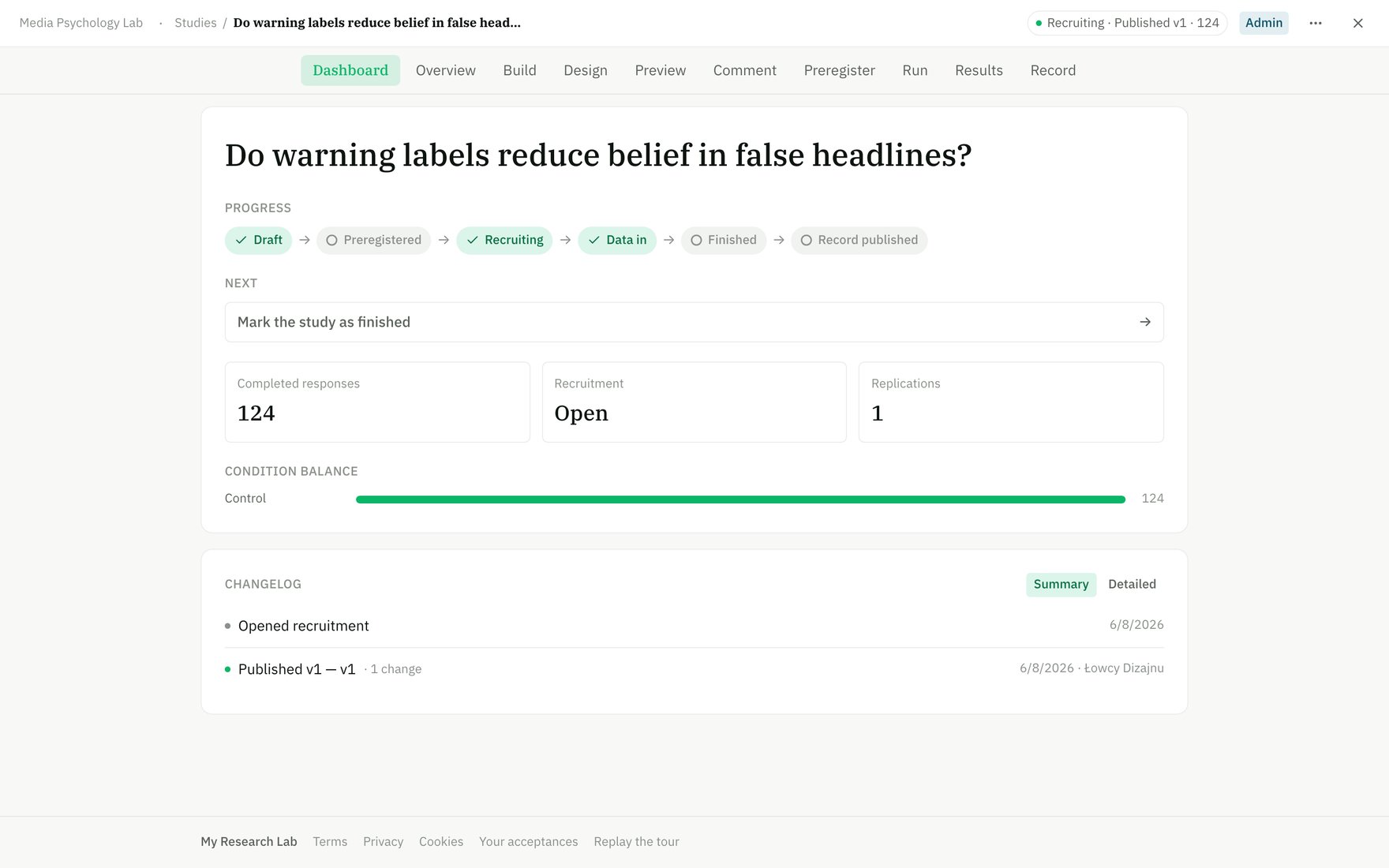
Watch pilot responses land on the study dashboard as you share the link.