1. Start a study
From Studies, click New study. A new study starts blank — an empty draft with no blocks — and drops you into the Builder. To start from existing work instead, you don’t begin blank — you copy:- Replicate a finished public study from Browse — a faithful copy with the lineage preserved. See Replication.
- Use as template — start from someone’s design as a fresh study with no lineage and new block identities.
- Start from a starter template on Explore — e.g. the ready-made A/B test or pilot designs.
In this version, New study always begins blank. Starting “from” something always means cloning an existing study or template, not picking a framework in the new-study dialog.
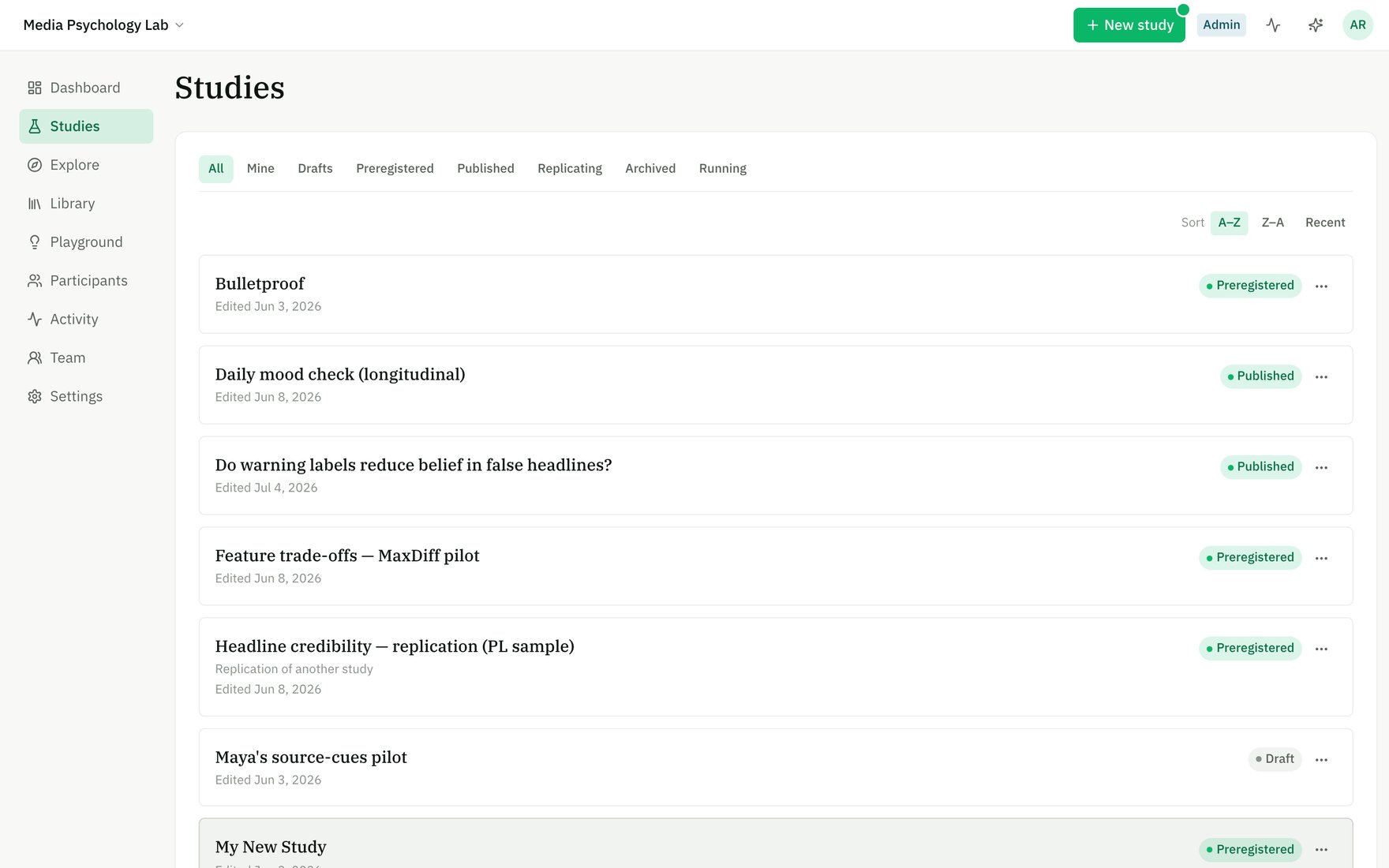
Studies — every study in your workspace, filterable by status (Draft, Preregistered, Published, Running).
2. Add blocks
The Builder is an ordered list of blocks — each is one screen or measure a participant sees. Click Add blocks to open the picker: instructions, Likert and other scales, multiple choice, open text, sliders, stimuli (text/image/video/audio/social post), attention checks, timers, and more. See the full block catalogue.- Reorder by dragging.
- Edit a block’s wording, options, and settings inline — its config is validated as you go.
- Everything autosaves into your working Draft as you type; there’s no separate save button for ordinary edits.
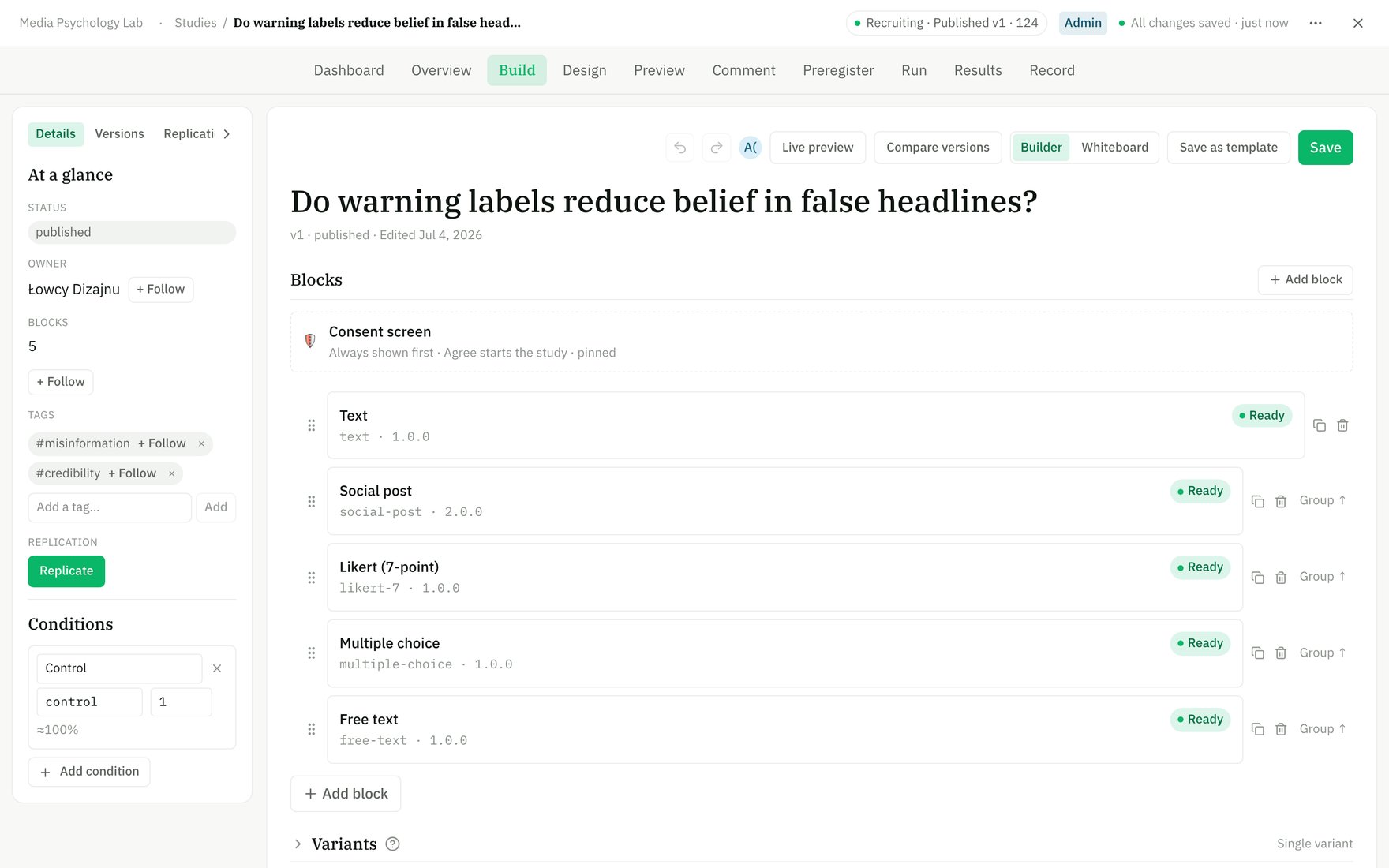
The Builder — an ordered list of blocks, each one screen a participant sees. The context panel on the left shows status, tags, and conditions.
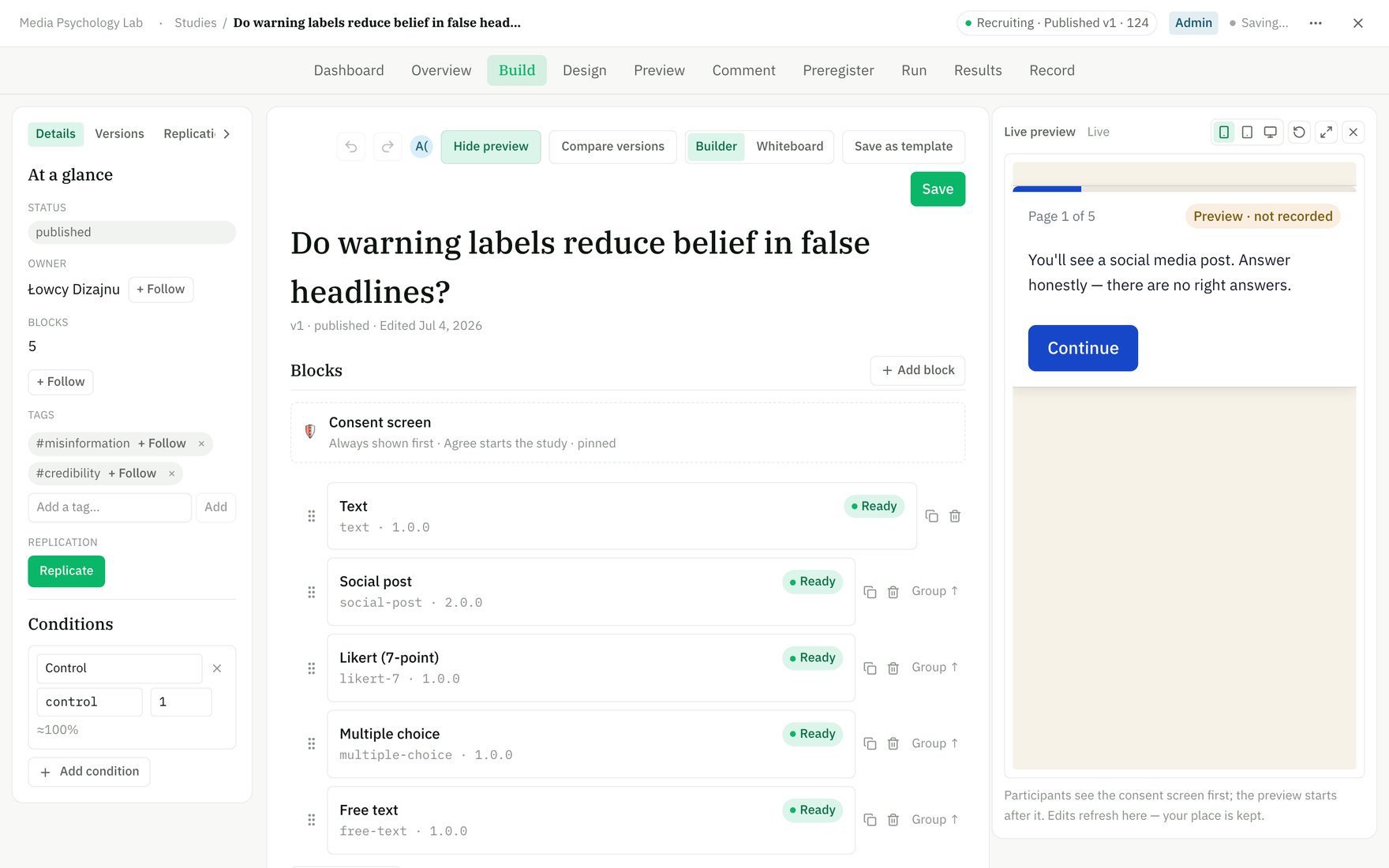
Open Live preview to see the participant's view update beside your edits.
3. Branch, split, and reword (optional)
These are distinct mechanisms — don’t confuse them:- Conditions are random-assignment arms (each with a name, slug, and allocation weight). A block can be gated to show only in certain conditions. This is how you build a two-arm experiment. See also A/B testing.
- Variants define a factorial design — factors with levels (e.g. tone × length) — where block fields bind to the active level. Participants are split across the resulting cells.
- Wording lets you override participant-facing chrome (Next/Submit, the required-answer error, the thank-you screen) and block-internal labels. Blank fields inherit the defaults.
- Themes control the visual look participants see.
4. Preview
Click Live preview to take the study exactly as a participant would — one screen at a time, with live validation and branching, in mobile/tablet/desktop frames. If your study has variants, you can pick which cell to preview.Preview responses are ephemeral — they’re recorded as preview mode, never as real data, and are excluded from your results and exports.
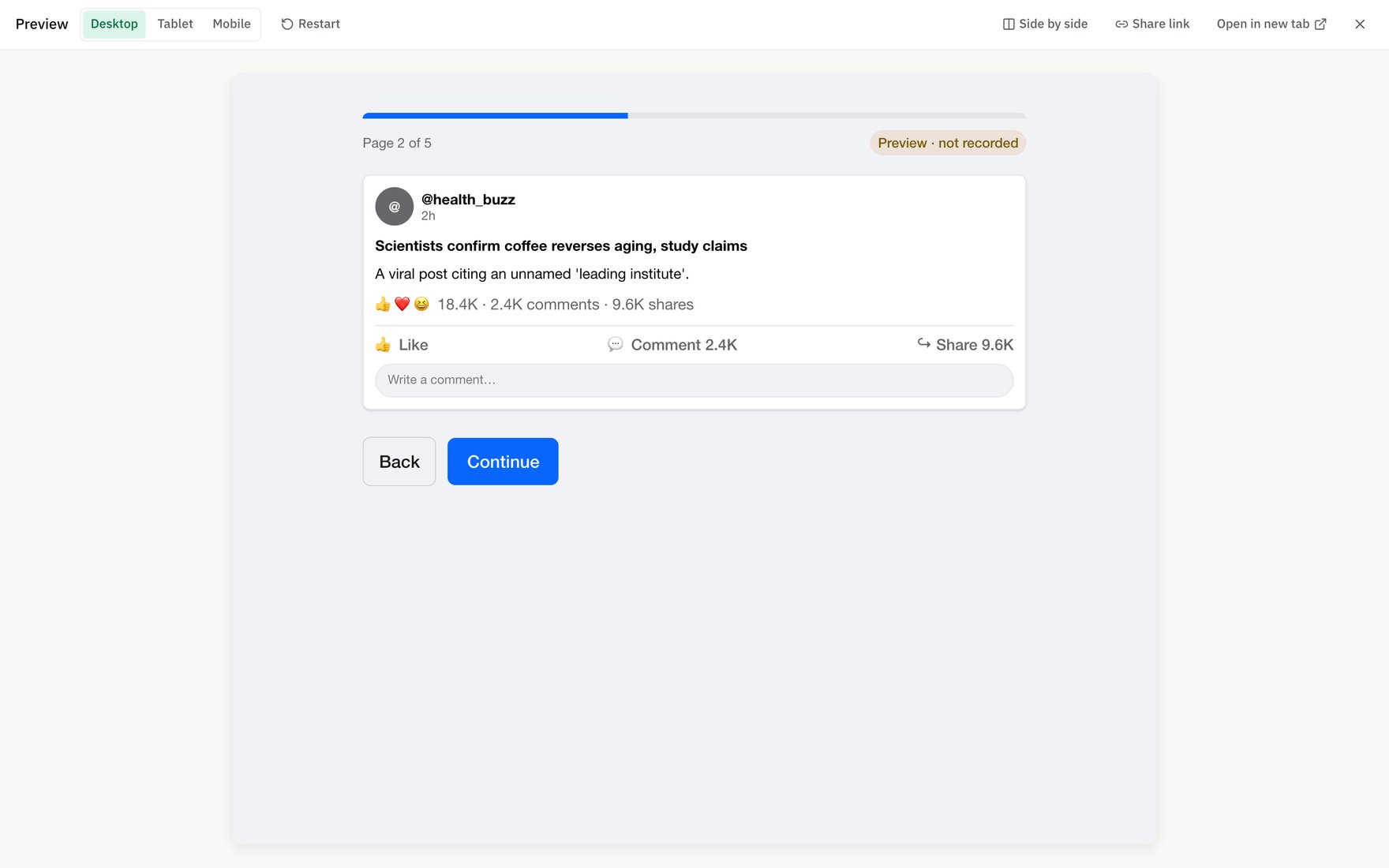
Preview takes the study exactly as a participant would — here, a social-post stimulus to evaluate.
5. Freeze a version
Editing always happens on the mutable Draft (the working copy). To create a citable, runnable version you freeze the draft into an immutable snapshot:Publish
Freezes a numbered, runnable version without an OSF push — good for pilots and exploratory work.
Preregister
Freezes a numbered version and timestamps your plan on the OSF — the open-science path. See Preregistration.
Frozen versions are immutable. You never edit a published or preregistered version directly — you keep editing the Draft, then push the changes live (or, for a preregistered study, push an amendment with a stated reason).
6. Run
Freezing makes a study runnable, but it does not open recruitment by itself — that’s a separate step. On the Run stage:- Open recruitment to activate the participant link.
- Share the link directly, or connect Prolific to recruit a sample straight from the Run stage.
If you edit the Draft while a frozen version is live, those edits don’t reach participants until you make them live (publishing a new version, or pushing an amendment for a preregistered study). The Builder flags this drift.
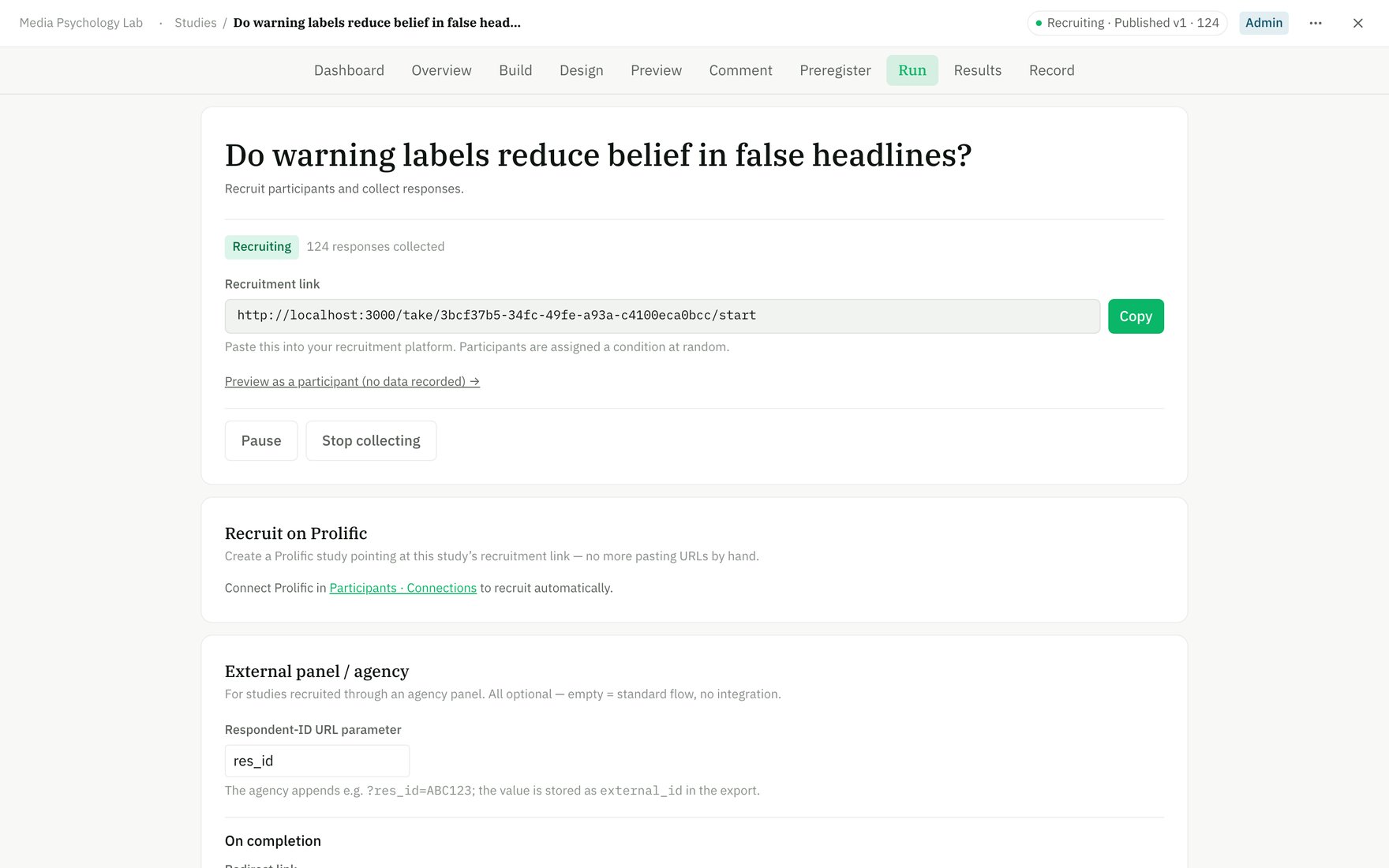
The Run stage — open recruitment, copy the participant link, or connect Prolific to recruit a balanced sample.
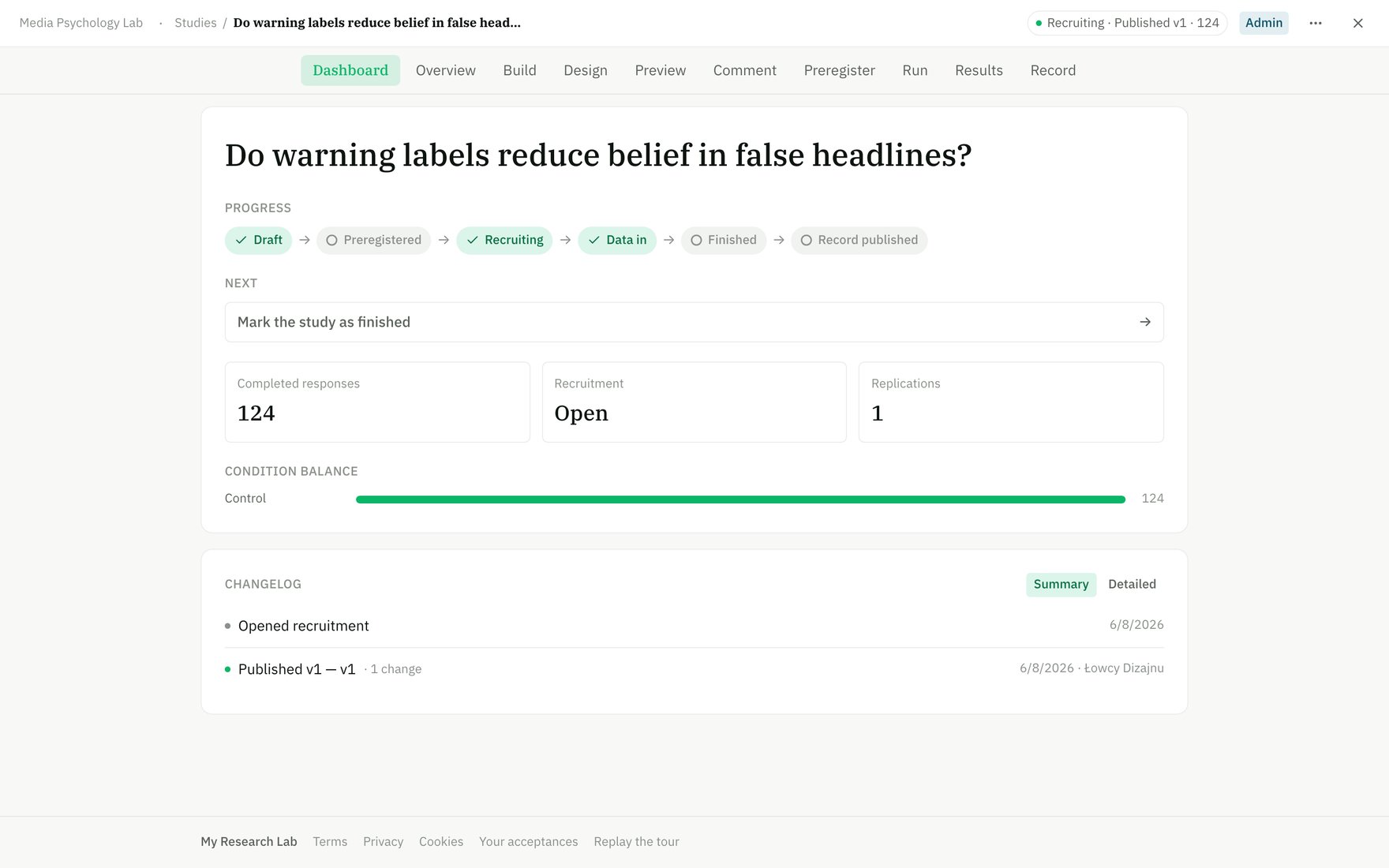
The study dashboard — lifecycle progress, live response count, condition balance, and a changelog.