Connect
Go to Settings → recruitment connections and paste your Prolific access token. The connection is stored encrypted per workspace.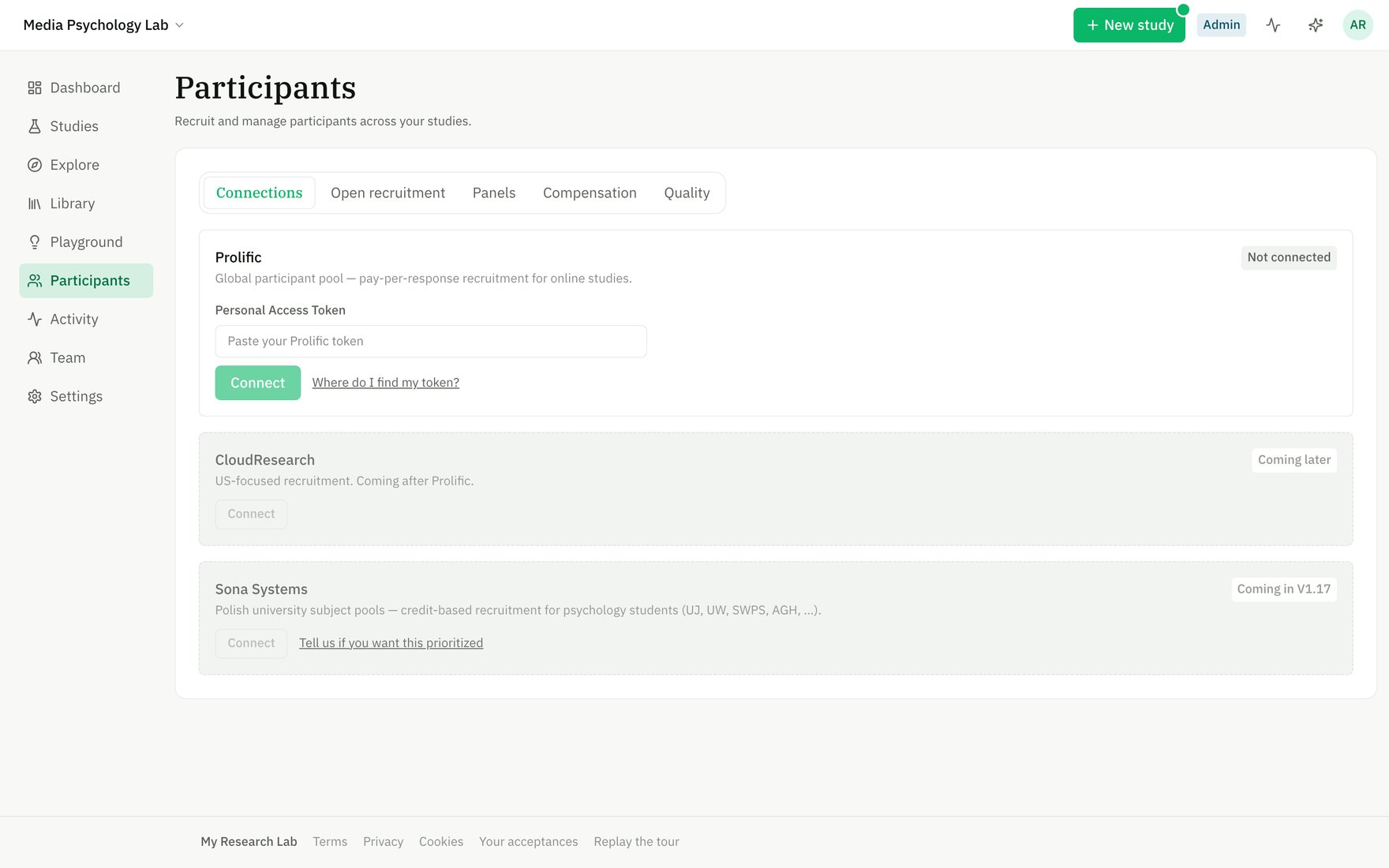
Connect Prolific with a Personal Access Token in Participants → Connections.
Recruit
From a study’s Run stage (with recruitment open so the participant link is live):- Choose recruit on Prolific.
- Set the title, description, target N, reward, and eligibility (country, language).
- Optionally restrict to or exclude a saved panel of participants.
- MRL creates and publishes the Prolific study, pointing it at your live
/takelink.
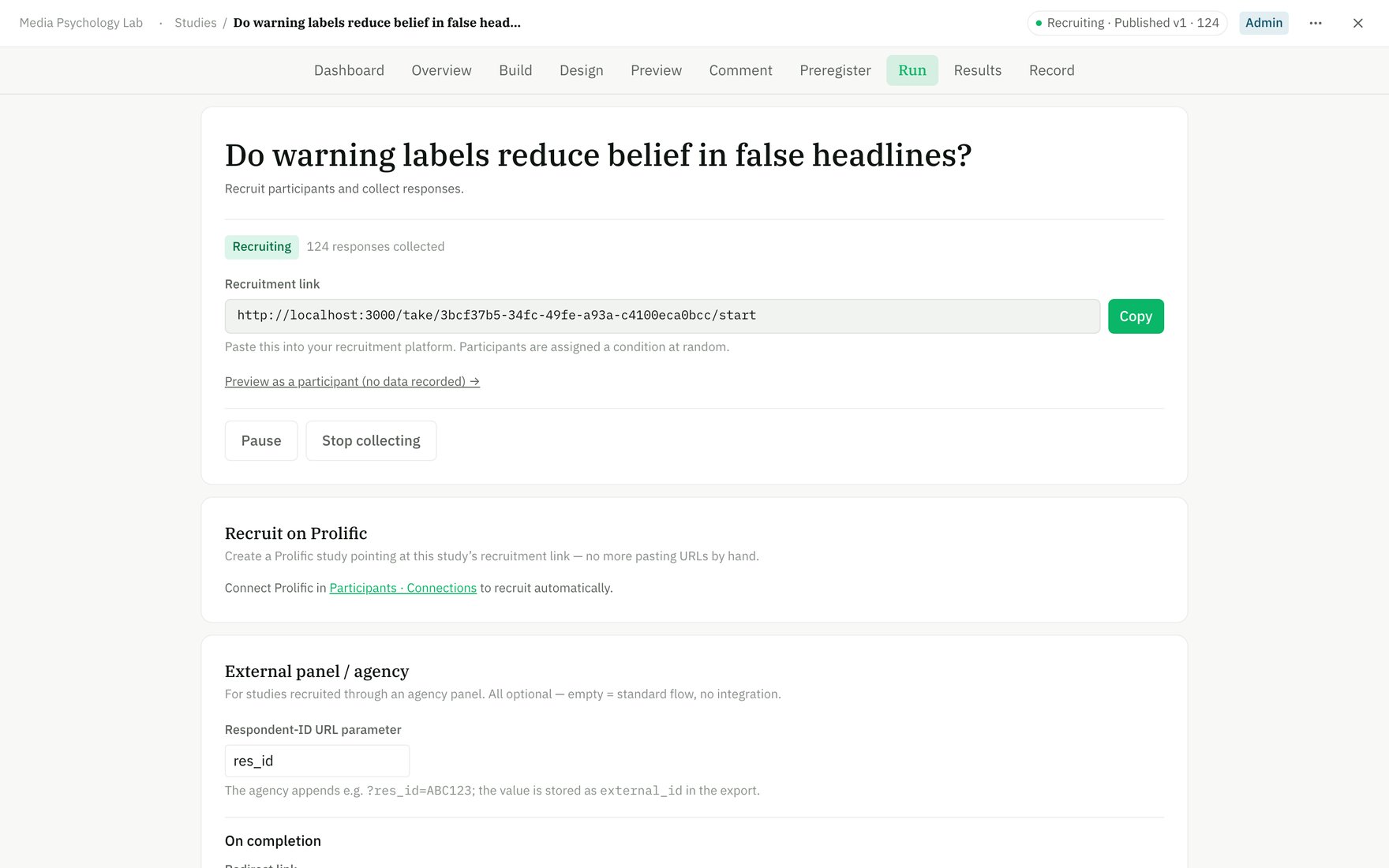
From the Run stage, create a Prolific study pointing at your recruitment link.
During and after
- Submissions reconcile back into MRL so you can see counts + completion against your target.
- Stop the provider study from the Run stage when you’ve collected enough; completions and refusals route participants back to Prolific correctly.
Only opaque participant IDs are stored — no Prolific PII enters your dataset (see our PII discipline).