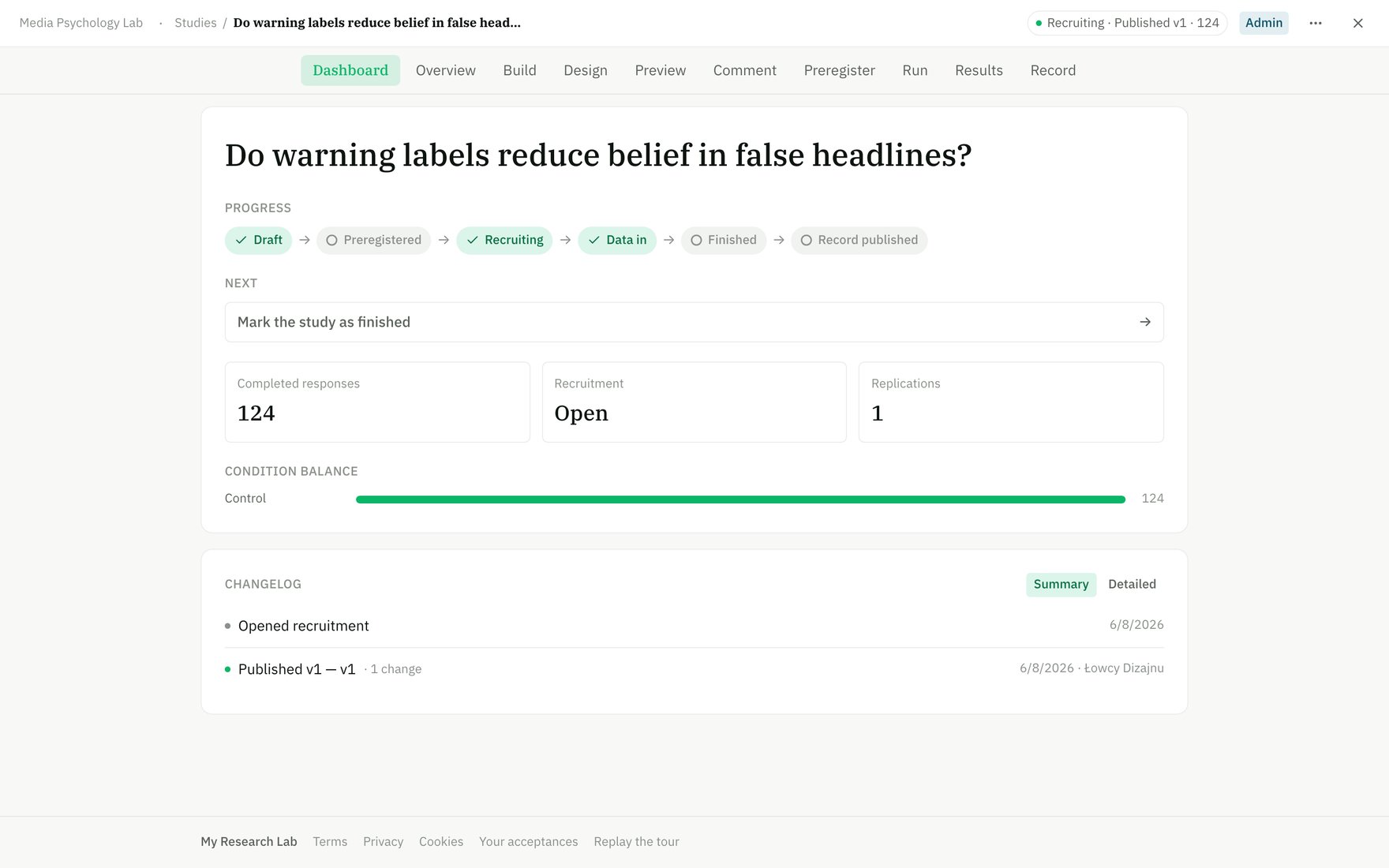
An open study — the tab bar runs from Dashboard through Record.
Dashboard
Dashboard
Your study at a glance — lifecycle progress, next actions, recruitment status, condition balance, and a changelog of recent edits. This is the first tab when you open a study. Use it to spot blockers and orient newcomers on where the study stands.
Overview
Overview
Researcher-authored documentation: abstract, hypotheses, methods, and custom sections. This is where you describe the study to readers. The overview freezes into your preregistration record, so amendments preserve the lineage of changes. See Overview editor.
Build
Build
The block editor — add, reorder, configure, and delete screens and measures. Every participant-facing element (stimuli, questions, scales, flow) is a block. See Block catalogue and Conditions.
Design
Design
Participant-facing theme and visual styling — preset pickers and granular primitives (colors, fonts, spacing) that only affect the participant experience, not your workspace. Changes freeze with your study version. See Design.
Preview
Preview
The participant experience in full-screen, device-framed mode — the real runtime in preview mode (ephemeral, no data counted). Live validation, branching, and condition assignment as a participant would see them. Use this before running to catch flow issues.
Comment
Comment
Peer review and comments — invite collaborators to leave feedback, suggestions, and annotations on your design. Manage permissions and respond to comments before finalizing.
Preregister
Preregister
Freeze your design to the Open Science Framework. This creates an immutable, timestamped snapshot: the registered plan. You can keep editing your draft afterwards; changes to the plan require filing an amendment. Preregistration is required to collect data. See Preregistration and OSF integration.
Run
Run
Recruitment and data collection. After preregistering (or publishing), this tab shows your shareable recruitment link, recruitment status (recruiting / paused / closed), participant target, and preview access. Share the link to collect responses. Integrates with Prolific for managed recruiting. See Running a study.
Results
Results
Live summary as responses come in — condition balance, completion counts per condition, question-by-question results (mean/n for numeric, option counts for categorical, n for open text), emotion analysis, and spatial responses. Export data as CSV. Version filtering available if you’ve published multiple frozen versions. See Results analysis and Export.
Record
Record
The readable, citable face of your finished study. Bound sections auto-fill from your data (Overview, Preregistration, Methods, Results); authored sections are yours to write and reorder. Publish a public study record for readers and citation. See Study record.
Replications
Replications
Replication lineage — upstream ancestors (the study you copied) and all descendants (studies replicated from yours). View side-by-side block diffs against the original or descendants. Helps you track the family tree of your work. See Replication.
Draft vs. frozen
Everything you edit lives in the Draft — your working copy. The draft is never shared with participants until you freeze it (preregister or publish). Once frozen:- The frozen version becomes immutable and citable (gets a DOI if pushed to OSF).
- You can keep editing the draft independently.
- Amendments to preregistered plans require filing a formal amendment record.
- Replications copy the frozen version, not your draft.
Status pill
The top-right corner shows your study’s current recruitment status:- Draft — not yet frozen. You can edit everything; no participants can access it.
- Preregistered — frozen to OSF (or locally if not connected). Recruitment is ready to open.
- Published — finalized and public. Recruitment is closed; the study record is live.
- Recruiting — active session collecting responses.
- Paused — recruitment temporarily stopped; can resume.