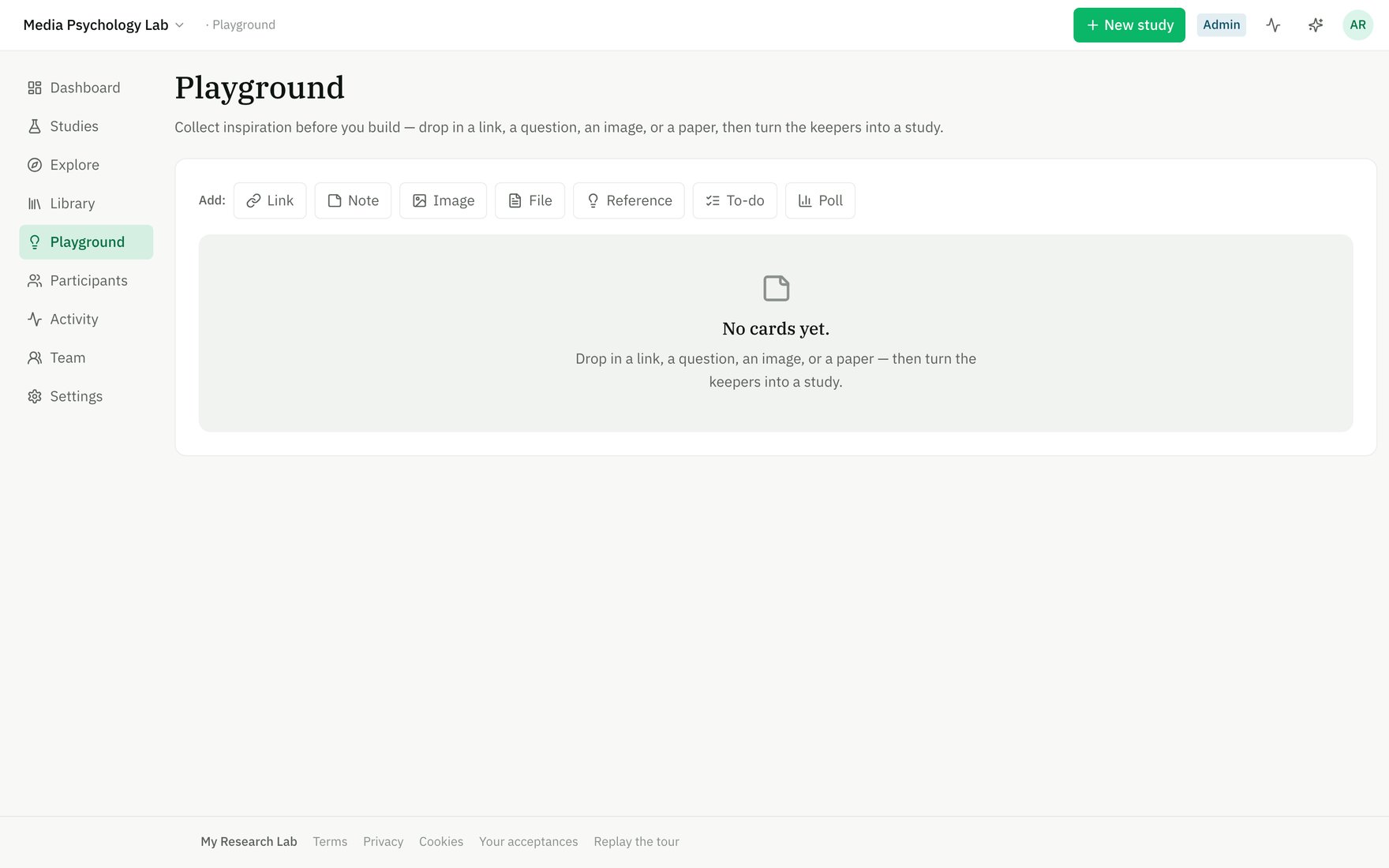
The Playground — try any block without creating a study.
What goes on the Playground
Each card holds one piece of inspiration:- Link — a URL you want to revisit; the domain is shown as a preview.
- Note — a thought, question, or stimulus idea in freeform text.
- Image — an uploaded image (screenshot, mockup, reference photo).
- File — a PDF, document, or spreadsheet you want to keep nearby.
- Reference — a paper by its DOI; the system resolves the citation details from Crossref.
- To-do — a task with an optional checklist; assign items to team members to coordinate prep work.
- Poll — a quick decision: ask a question and tally team votes to align on direction.
Adding and organizing cards
Click Add: and choose a card type. Fill in the essentials (title, URL, DOI, etc.), then it lands on the board. You can:- Edit a card anytime — click the pencil icon to change the title, body, or URL.
- Reorder with keyboard buttons (⬆️ ⬇️) or drag cards into a new position.
- Comment on any card — click the message icon to open a comment thread and discuss with your team.
- Archive a card when you no longer need it (soft-deleted, with comments preserved).
Converting a card into a study
When a card (or group of related cards) crystallizes into a study idea, click Start a study on that card. The app creates a new Draft study in your workspace, pre-seeded with the card’s title and any notes or body text as the overview abstract. You land in the Builder ready to add blocks, conditions, and logic.The original card stays on the Playground and is linked to the new study (marked “Started ✓”). The card is never consumed or deleted—the board persists as your team’s lab notebook.
Playground vs. Builder
The Playground is where research starts. Once you move to the Builder, you’re committing to a protocol you can preregister, run, and publish.